 -= Nathalis Laboratory =-
NCX Player Joomla extension
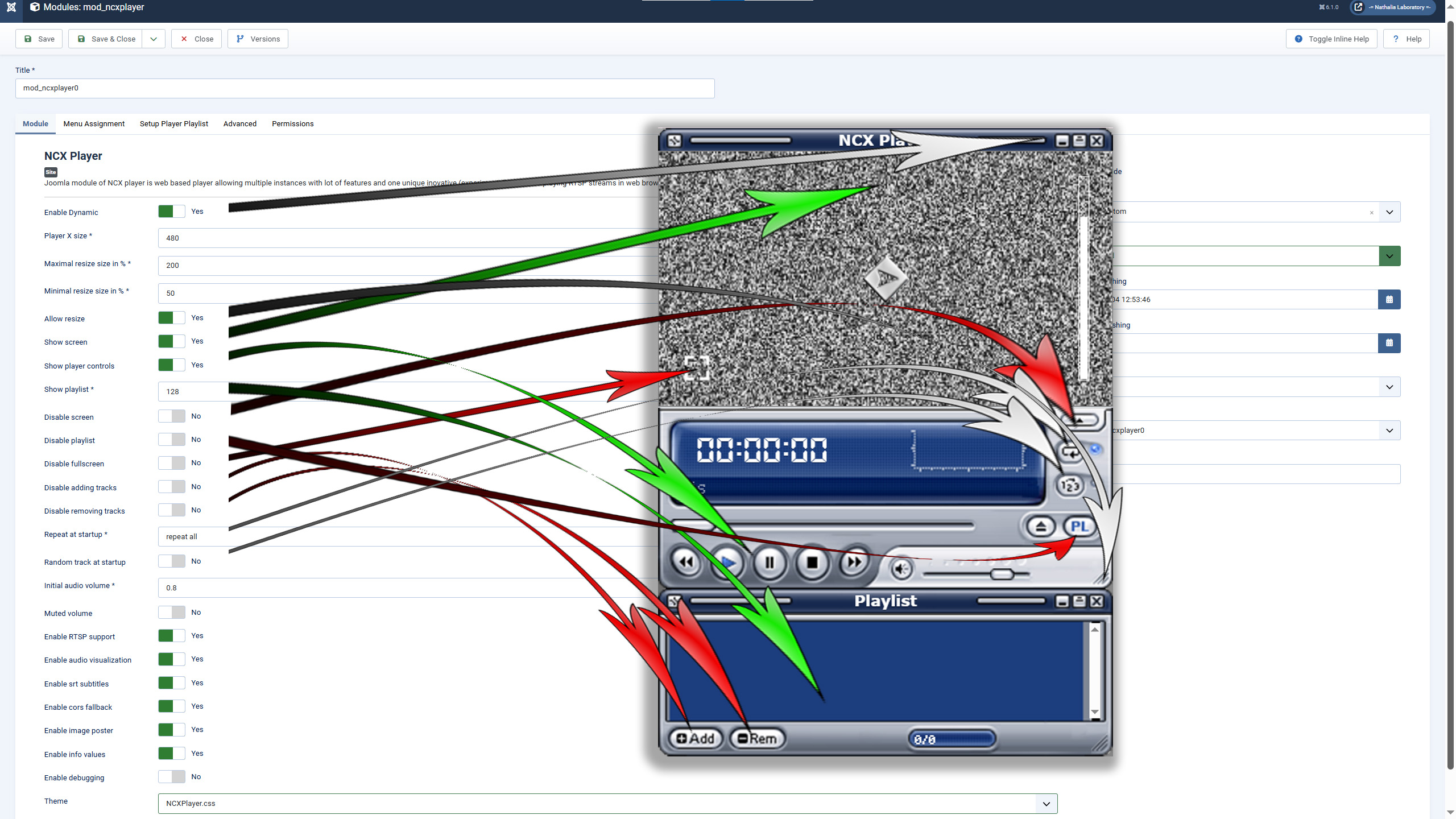
► Enable Dynamic = this options allows place NCX Player instance into movable Window in Web site.
► Player X size = you can define size of NCX Player (default 480 pixels)
► Maximal resize size in % = set maximal resize size of NCX Player (in %)
► Minimal resize size in % = set minimal resize size of NCX Player (in %)
► Allow resize = allows resize of NCX player by mouse dragging
► Show screen = starts player with opened video screen
► Show player controls = enables NCX Player controls block (better keep enabled)
► Show playlist = show playlist on startup (default 128 pixels)
► Disable screen = disable opening player screen
► Disable playlist = disable opening player playlist
► Disable fullscreen = disable enter player in fullscreen
► Disable adding tracks = disable adding new tracks to player
► Disable removing tracks = disable removing tracks from playlist
► Repeat at startup = set repeat tracks mode on startup (none / repeat all / repeat track)
► Random track at startup = set random mode on startup
► Initial audio volume = set player audio volume at startup (0.8 = 80% default)
► Muted volume = at startup muted volume of player
► Enable RTSP support = enable RTSP php feature
► Enable audio visualization = enable audio visualizations in screen of player when playing audio files
► Enable srt subtitles = enable srt (subtitles file) detection and showing subtitles if preset (must be same name with srt extension)
► Enable cors fallback = enable cors fallback if blocked
► Enable image poster = enable audio poster in screen of player when playing audio files (must be same name with png / jpg extension)
► Enable info values = enables extra media info
► Enable debugging = enable debugging of NCX Player
► Theme = select your theme of NCX Player
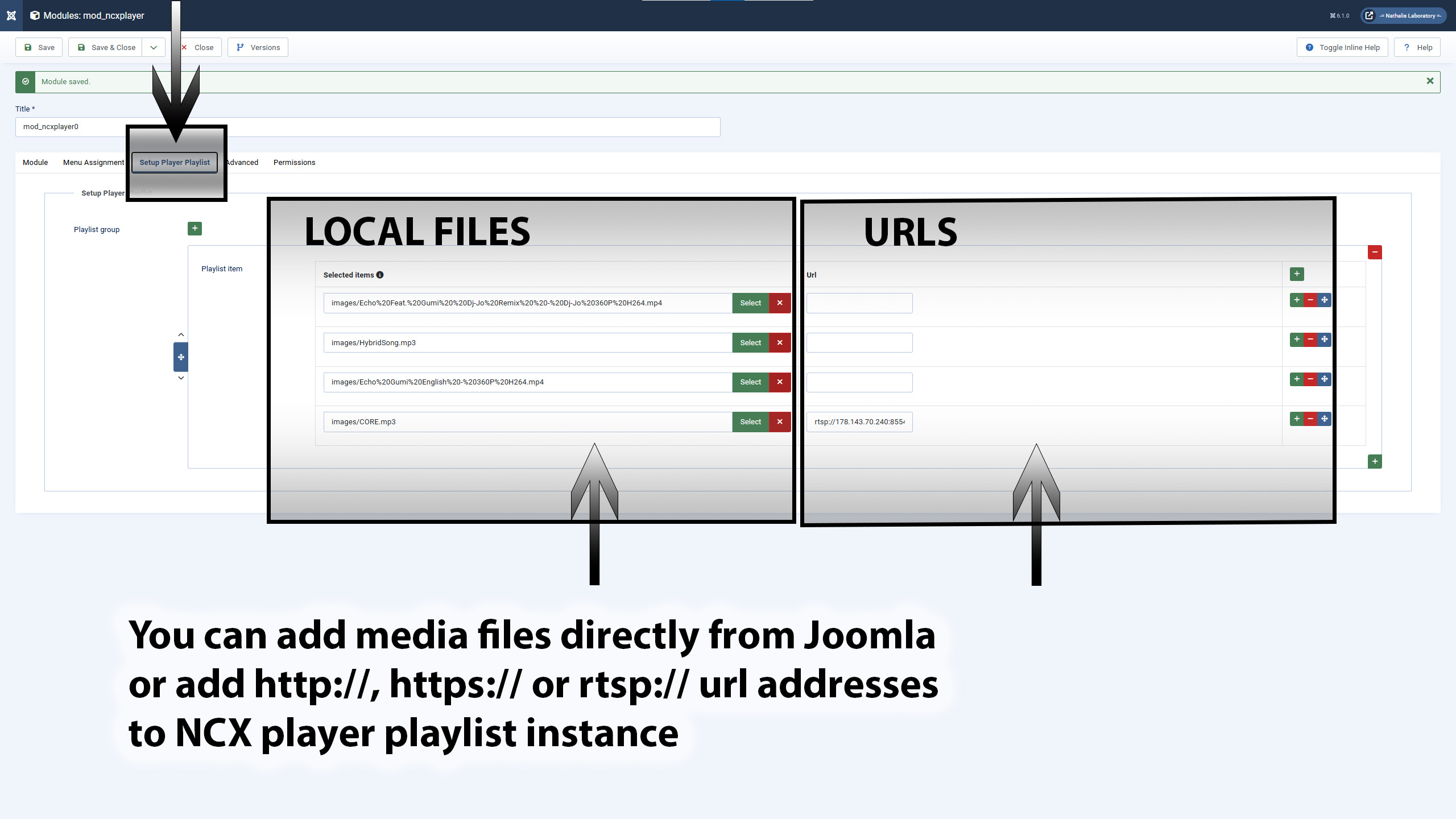
You can add media files directly from Joomla or add http://, https:// or rtsp:// url addresses to NCX player playlist instance.